We’re really ramping up with our testing in preparation for training our teachers to use uPresenter and we noticed a strange thing. We wonder if it is an anomaly or if this is the case.
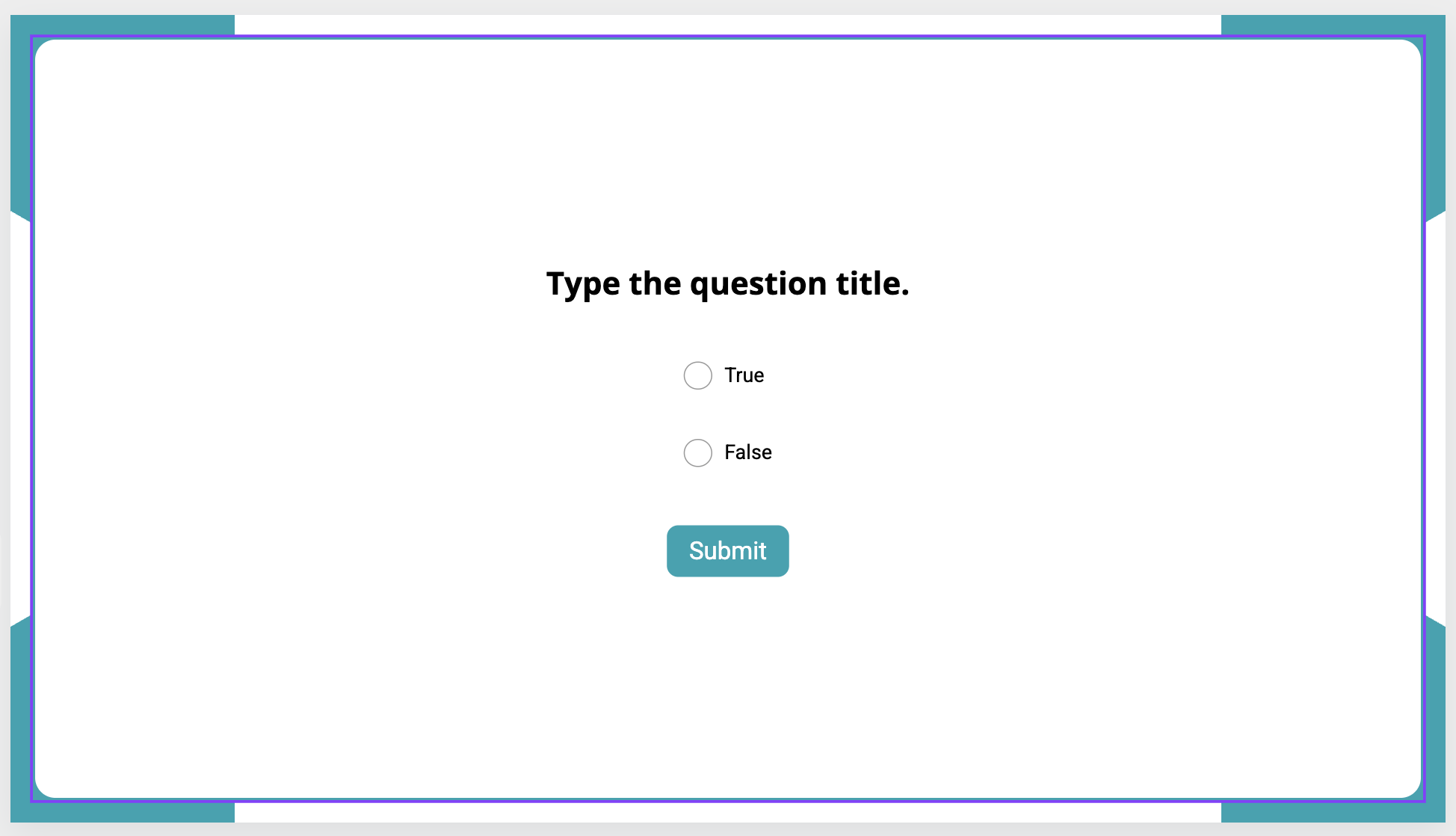
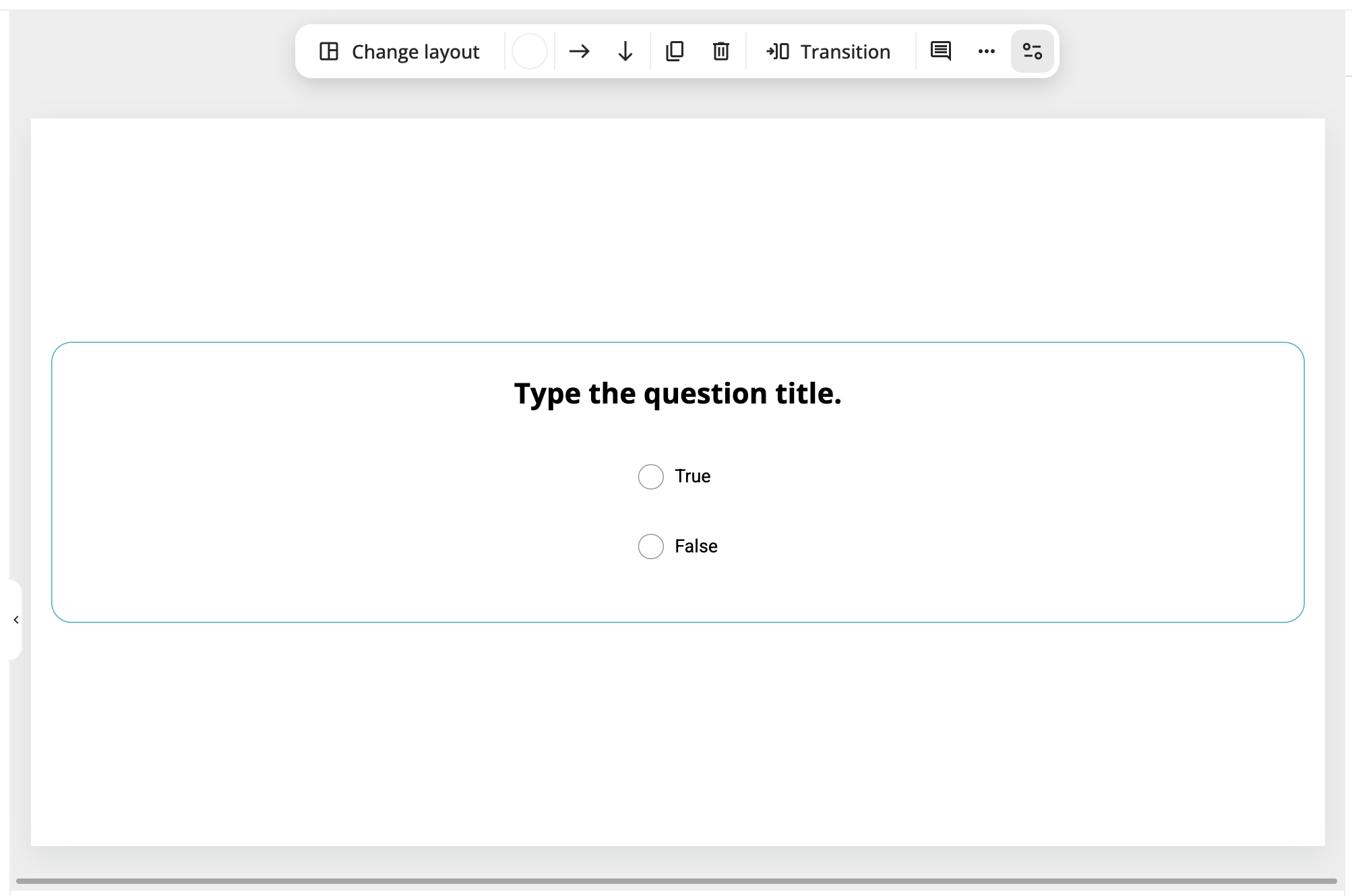
When presentations are made with AI, adding questions creates a slide with everything required for the question, including a configured Submit button; when presentations are made manually and you add a question, there is no button included so it must be added and configured manually. The first image below is a T/F question added in an AI-generated presentation; the second is a T/F question added in a manually-created presentation:
Is this expected behaviour? Again, as we are preparing training for teachers to use uPresenter, we need to know if this is normal and expected, or if there is any issue we need to address.
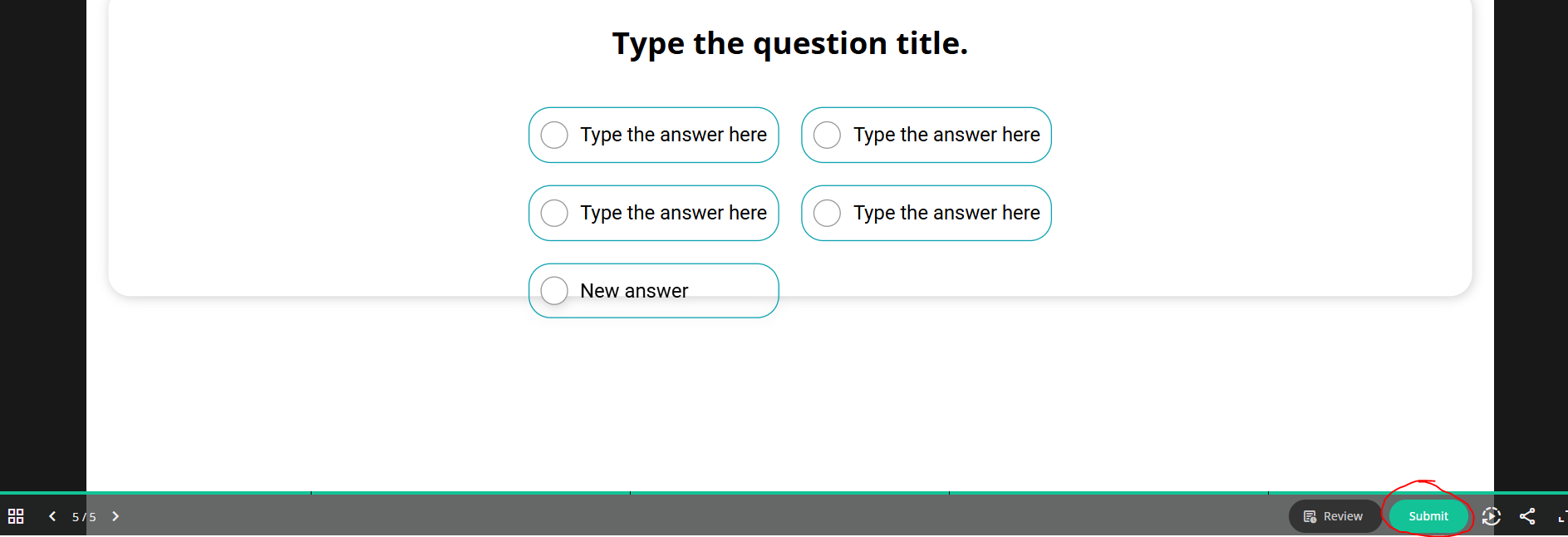
It looks like you’re using an older template that still includes a Submit button. We’ve now removed the Submit button from the question itself and placed it here:
Hi again @Hang - one more question about this please: in my testing, I see that when the user clicks Submit at the the bottom of the screen, it shows whether the answer is correct or not (green vs red) but doesn’t give the feedback and doesn’t move forward in the presentation. It works when I preview it in the browser, but not in the LMS. I’ve tried this both in Blackboard Learn and Moodle.
That said, I’ve had to add the xAPI with a SCORM wrapper to get the presentation to function in both LMSs, so maybe that is why it isn’t working…?
Are there any plans to have this export as a SCORM package as well as xAPI?
If the feedback appears correctly in the browser but not in the LMS, this issue is most likely due to incompatibility between the xAPI package and the SCORM wrapper you’re using.
We do have plans to support direct SCORM export in the future, but unfortunately, we don’t have a confirmed release date yet.
Hi @Hang - ok thanks for that feedback. It’s disappointing that we can’t seem to use the uPresenter outputs successfully with our LMS; we have so many licenses and want our teachers to be able to use them.
While we await for direct SCORM export from uPresenter, do you have any suggestions that we can try?
We apologize for the confusion in our previous response.
We are working on this. We reached out to the Blackboard Development Team regarding the implementation details of xAPI, and we received their response yesterday.
Next week, we will check and fix the issue so that the xAPI package can work properly with Blackboard LMS. You won’t need to use any SCORM wrapper.
Hi @namnt oh that is really great to hear! We were confused because as far as we understood, xAPI should work with Blackboard.
Please do let us know when this is solved. We’ll be really pleased if we can do this in a seamless, straightforward way that works. I tried last night for four hours to find a better wrapping solution but nothing worked at all.
Please note that the LMS we are using is Blackboard Learn Ultra (the newer version of Blackboard), just in case it matters.
Also, a couple other issues I’d mentioned in other posts that we’re hoping can be sorted (just to keep everything together):
Ending, Closing and Reporting: Both when we tested this on Blackboard in the SCORM wrapper and when we preview directly from the uPresenter interface, we notice that we cannot close the presentation. For example, we added an Exit button and to it added the action of End Presentation, but that doesn’t do anything. It asks the user if they want to end the presentation, and upon clicking yes we see a green task bar that says the presentation is ended but it doesn’t close (nor, in the wrap, report to Blackboard. I know in ActivePresenter we need to add JavaScript to the exit button for this to happen, but there is no way of doing this in uPresenter that I can see. You can see my previous post and screenshots here (along with @Clementine_Vu 's supportive response )
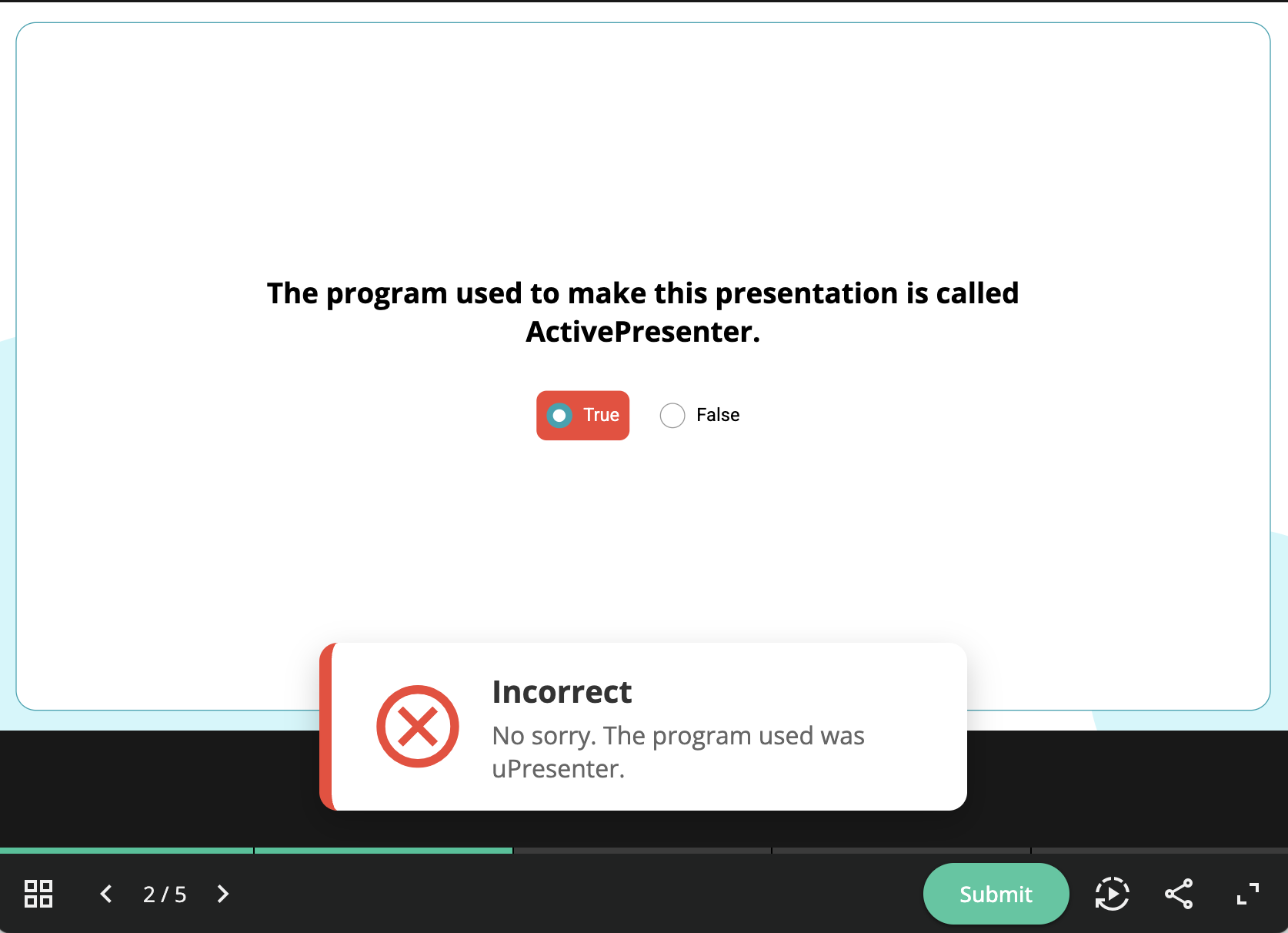
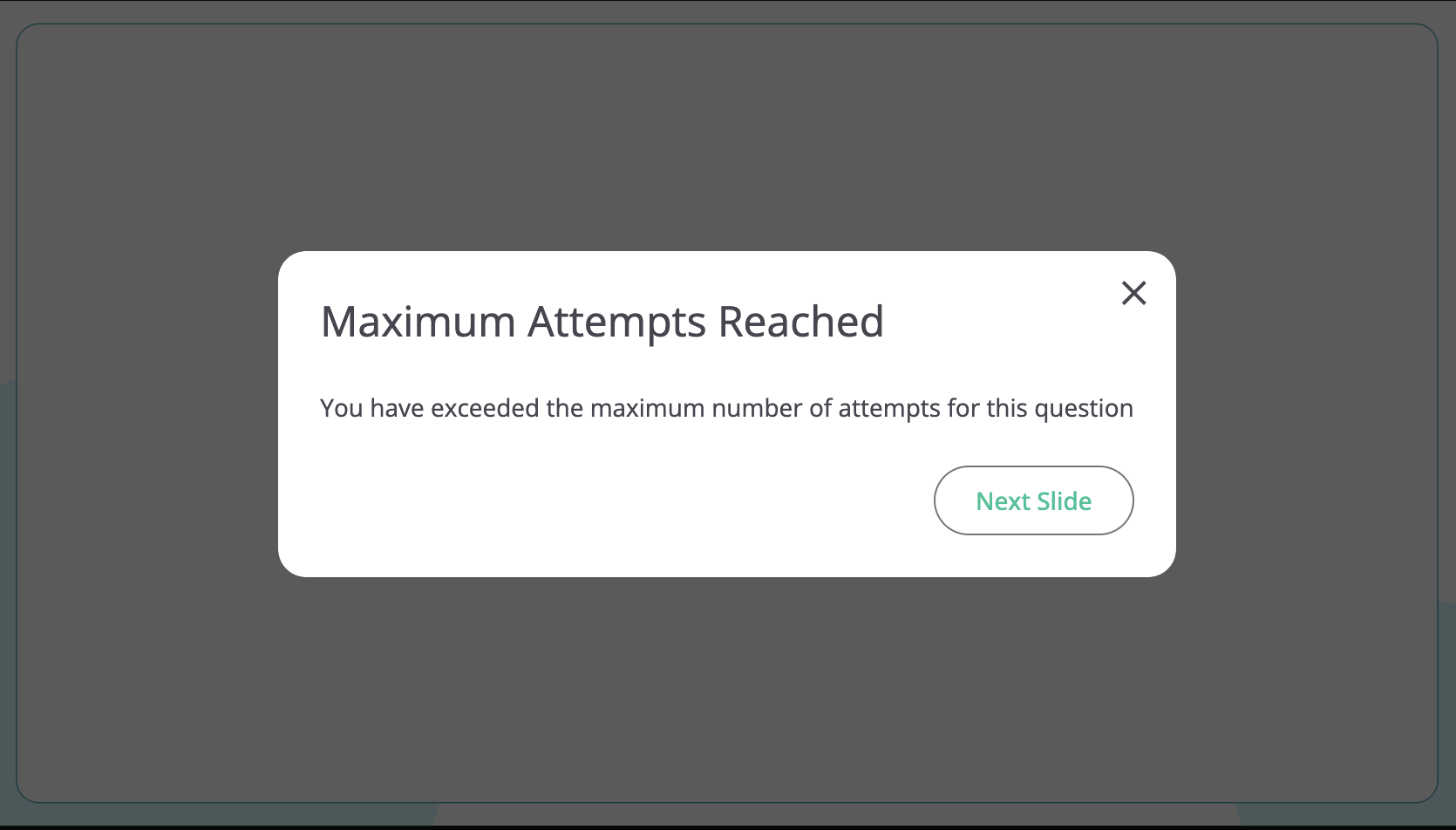
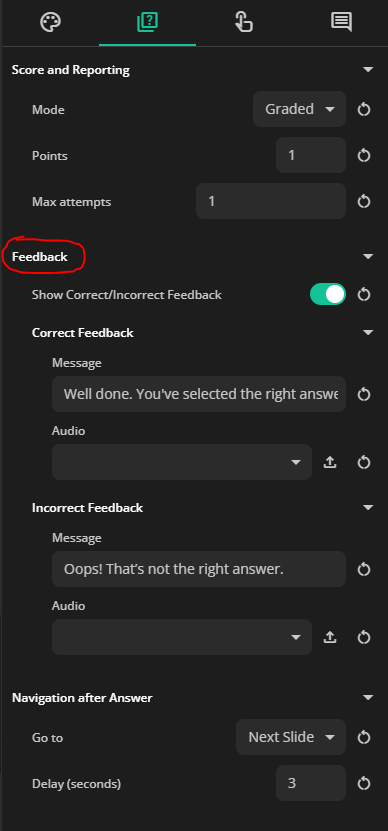
Slides Advancing on Questions: I’m a bit confused on how the slide advance works with questions. I see in the preview from the uPresenter interface in the browser that if the answer is correct, the slide advances. But if it’s incorrect, even if there’s only one attempt set, it doesn’t advance. The learner needs to press submit again and get a note that they’ve used all chances or use the arrows in the bottom left corner. In the question properties, I see an option for Navigate After Answer and Delay; is this related to those? It doesn’t seem to be related to correct or incorrect.
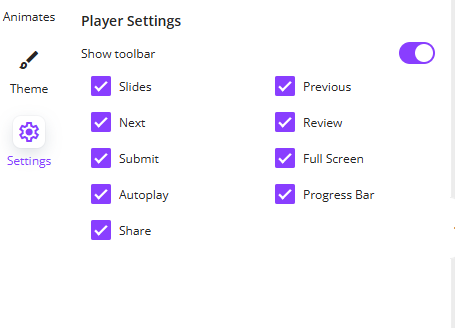
Also, related to the slides advancing, is there a way to turn off the < 2/5> navigation buttons in the bottom left corner? It seems that with those students can just pass through the slides. If reporting works in the LMS, they won’t get the grade they need if they skip of course, but if we have the option of turning them off the students won’t be tempted to skip .
Thanks again @namnt - I appreciate your efforts and hope you don’t mind all the questions (as well as those that are surely to come).
As soon as we have any updates about the LMS and xAPI package, we’ll let you know. We’ll also keep you posted on the Ending and Reporting sections in uPresenter (which Cle is already following up with you about).
Slides Advancing on Questions:
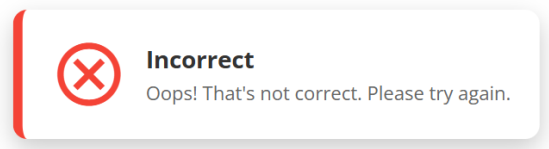
Right now, you’ll see the “Incorrect” feedback message, and you can edit the text inside it, for example:
here:
For moving forward or back, even if there are still attempts left, you can simply use the Next and Previous buttons at the bottom left of the player. We’re also working on improving slide navigation to make the experience smoother, such as adding options to disable it or allow access only to previously visited slides.
We’ll keep you updated as soon as anything new comes out!
Hi @Hang - thanks so much for this! Yes, please do update as soon as the xAPI and LMS issue is sorted. We want to get our teachers using our uPresenter licenses ASAP but can’t really make use of them until the work within Blackboard Learn Ultra. Thanks!
Good day @namnt - I hope you and the team are doing well!
I wanted to touch base with you to see if you’d been able to work on the issue so that the xAPI packages downloaded from uPresenter will work with Blackboard.
We are still hoping to have our teachers use uPresenter to create interactive activities for their students to complete in the LMS. All of our purchased licenses are still not being used because of this, and the time we have for them is being wasted
We’ve just released an update to address the issue with uploading the xAPI package to Blackboard LMS. Could you please give it a try and let us know if the problem is resolved?
In addition, we’ve added more options for Player Settings to show/hide toolbar and button, feel free to check them out as well.
In the meantime, we’re continuing to work on the other issues you mentioned earlier.
Thank you so much @Hang and @namnt - and the whole team! I will test everything more in-depth over the weekend but a very quick check yesterday showed me that it is working in Blackboard now . I need to be sure that the grades work properly for release conditions and a few other things, but I’ll do that and get back to you ASAP.
I did notice, though, that there’s still no option for closing the presentation, though I realize you are still working on some of the issues I mentioned so that may be one of them. I also noticed that even though in Blackboard I set the package to open in Frameset, it still opens in a new window. I don’t know if that is an issue on your end or on Blackboard’s, but we’re reporting it to you both.
Thanks again for all of your support; you and your team are awesome ! I’ll come back after more testing this weekend.
Dear @Hang and @namnt - I hope you’re doing well! I just wanted to update you that after testing just about all cases it seems we are going to be able to move forward with handing out our licenses and offering training. I wonder though if there has been any progress with having an option to close the presentation? As I’m sure you remember I’d brought it up here and in another post back in August. Can you let me know? Thanks!
Thank you so much for sharing your experience with using and training others on uPresenter!
Yes, I remember your request about adding a button to close the presentation. We’re currently working on improving the app, and this feature is planned for our next update, which should be released in about 2–3 months.
Please note that, similar to ActivePresenter, the “close presentation” button may not work in every scenario.
Once the update is released, I’ll make sure to let you know right away!
Hi @Hang - thanks a lot for your reply and your efforts on getting this button added, as well as any other improvements you’re working on. I remember in ActivePresenter that in addition to having a Close button with ‘on Click > End Presentation’ we have to add JavaScript to force the browser to close. This works perfectly . But since it seems there’s no way to add JavaScript in uPresenter, hopefully there’ll be another option.

 oh that is really great to hear! We were confused because as far as we understood, xAPI should work with Blackboard.
 )
)

 . I need to be sure that the grades work properly for release conditions and a few other things, but I’ll do that and get back to you ASAP.
 ! I’ll come back after more testing this weekend.
 . But since it seems there’s no way to add JavaScript in uPresenter, hopefully there’ll be another option.